 StudyAhead
Your exam has a date.
Now your studying does too.
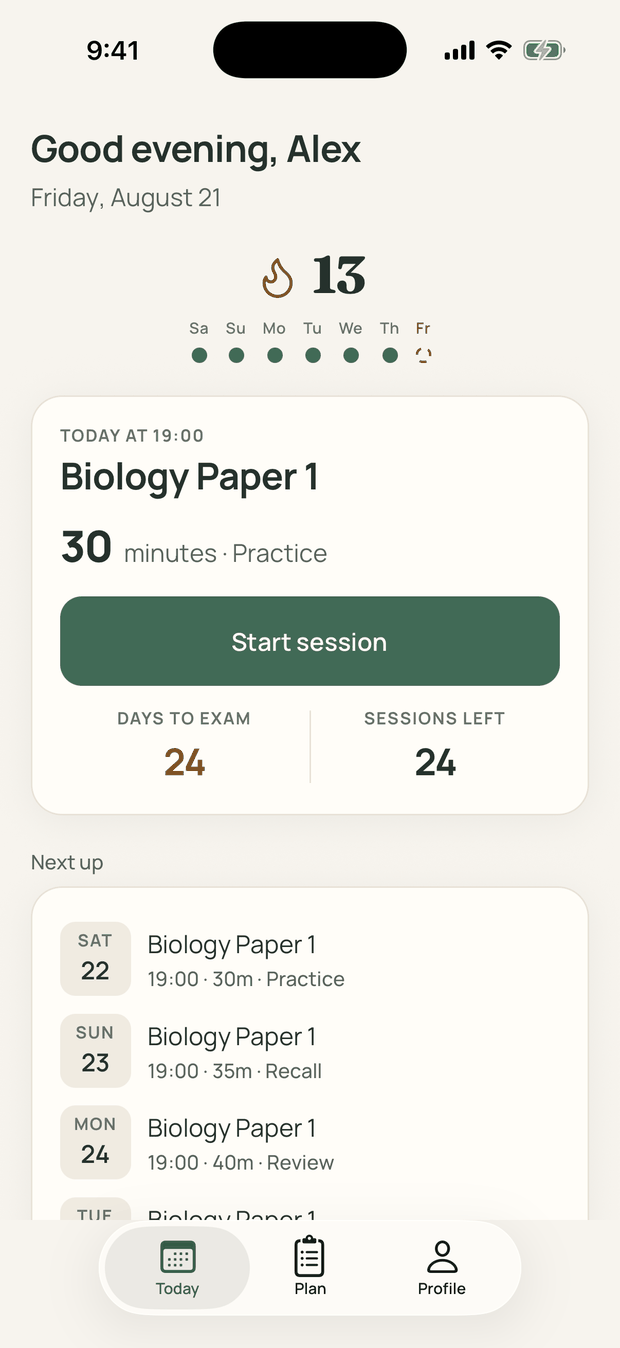
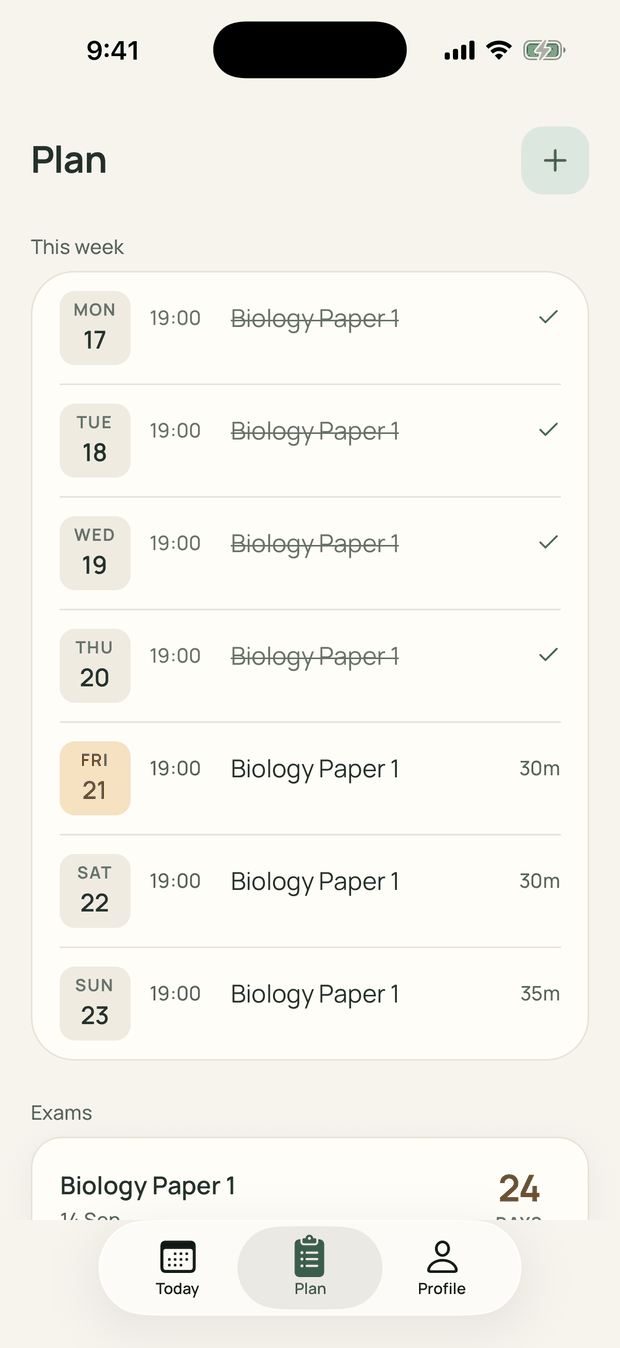
Enter your exam date. Get a day-by-day plan — and one thing to do today.
What StudyAhead does
Dated from day one
Every session lands on a real date, worked backwards from your exam.
Weakest topics first
Break the exam into topics and say how comfortable you are with each. The ones you mark for review come first, and about twice as often as the ones you're confident on.
Learn, practice, recall, review
Sessions aren't all the same. Today's card names which kind this one is, so "study" is never the whole instruction.
Progress you can see
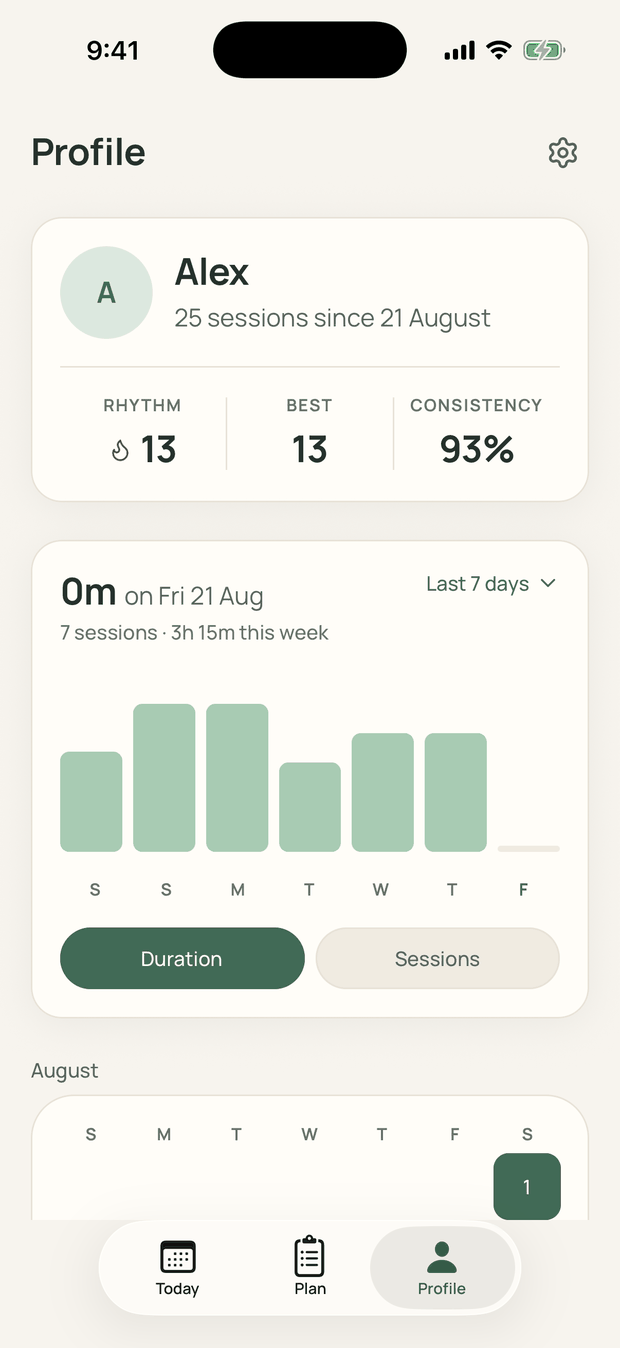
Days in a row, your best, how consistent you've been, and a readiness score per exam built from the work you actually did.
Why it works
One thing at a time
The Today screen shows a single session. Nothing to triage, nothing to choose.
It moves when you slip
Miss a day and the plan reschedules. Yesterday never lands on top of today.
Nothing to grind
No points, no levels, no badges. It only tracks whether you came back.
A nudge, not a nag
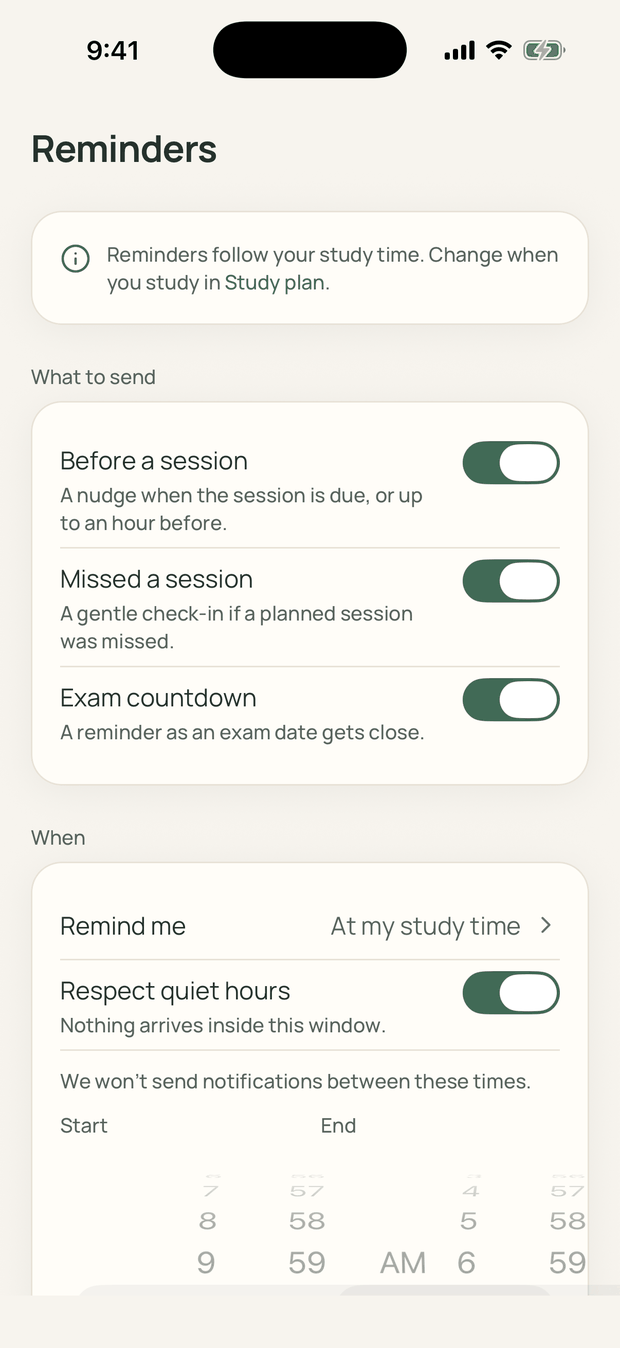
Before a session
When it's due, or up to an hour ahead. You pick.
Missed a session
One gentle check-in. Never a second one for the same day.
Exam countdown
A reminder as the date gets close.
Three separate switches, all of them optional, and quiet hours run 10 PM to 7 AM until you say otherwise.
Questions
How does it build the plan?
From your exam date, your topics, and the days you can study. It's a fixed formula, not AI — the same answers always produce the same plan.
Do I need an account to try it?
No. You build a plan and run your first session before anything asks you to sign up.
What happens if I miss a day?
It reschedules. The catch-up you get back is smaller than what you missed, and never stacked on top of today.
My exam date changed. Do I start over?
No. Edit the date and you'll see exactly what moves before anything is rewritten. Completed sessions stay completed.
Can I split an exam into topics?
Yes. Add them while you're setting the exam up, or later from the exam's own page, and rate how comfortable you are with each one. Five topics per exam are free; Pro removes the cap.
What's free and what's paid?
The study loop is free forever — build a plan, run sessions, keep your rhythm, see your history. Pro adds more than one exam at a time, custom session lengths, unlimited topics, finer reminder control and the all-time progress archive.
How much time does it need?
Ten minutes a day is a normal start, on the days you choose. It never schedules past the time you say you have.
Will it nag me?
Only if you want. Planned sessions, missed sessions and the exam countdown are three separate switches, and quiet hours run 10 PM to 7 AM by default.
How do I cancel a subscription?
In iPhone Settings, tap your name, then Subscriptions. Your account and your history stay exactly as they are.
Is there an Android version?
Not yet. It's iPhone only today, with Google Play still to come.
Will this get me a better grade?
No app can honestly promise that. This one turns a date into a schedule and tells you what to do today. The studying is still yours.